
The Best Golf Coach App in 2026: What to Look For
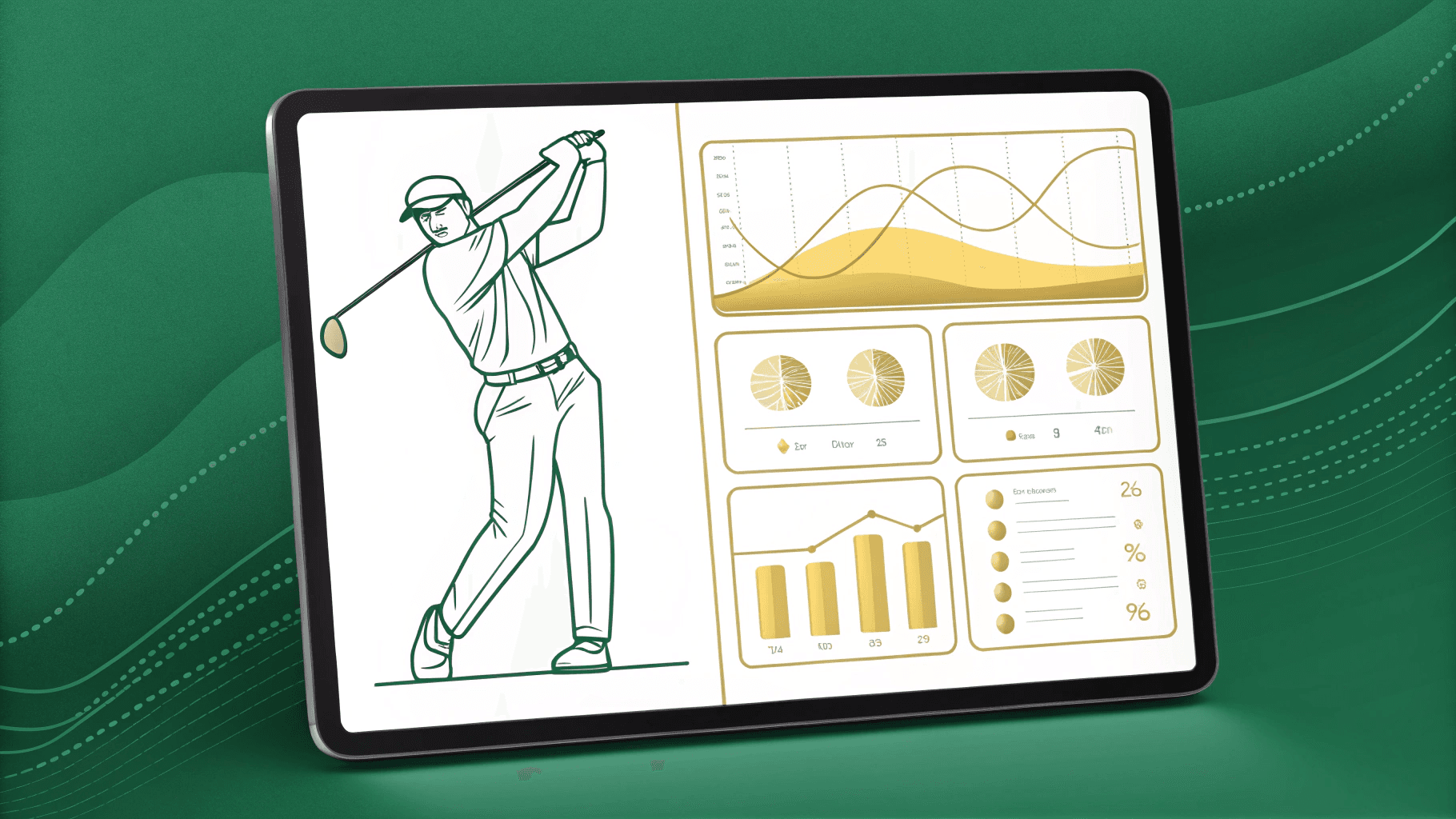
The best golf coach app in 2026 isn't the one with the flashiest features—it's the one that saves you time, keeps students engaged between lessons, and actually moves your business forward. You'll want a dashboard that loads in under thirty seconds, built-in drill delivery and communication tools, and a mental performance layer most platforms still lack. The criteria below will help you spot what matters and avoid paying for what doesn't.
Why Most Golf Coach App Reviews Are Useless
Most golf coach app reviews rank tools based on affiliate commissions, not on how well they actually serve coaches and students.
You'll notice the reviewers have never coached a lesson, never managed a student roster, and never used these apps in a real teaching environment.
What gets marketed—flashy features and brand deals—rarely lines up with what you need to run efficient, effective coaching sessions.
This gap is especially clear with AI mental performance coaching, where what's advertised as artificial intelligence often differs significantly from what the technology actually delivers.
The Affiliate Review Problem
When you search "best golf coach app," you'll find listicles ranking ten platforms based on feature screenshots and pricing tables—but the ranking order almost always correlates with affiliate commission, not coaching value.
The reviewer tests the free trial for 15 minutes, writes 200 words, and moves on. No real students were coached using the platform. No retention data was examined. No coach workflow was tested.
That's the affiliate review problem in brief: these articles serve the reviewer's wallet, not your needs.
They can't tell you whether a coaching app for golf actually helps you deliver better instruction, save time, or retain more students.
You deserve recommendations built on real coaching experience, not commission percentages.
The next sections give you exactly that.
What Coaches Actually Need vs What Gets Marketed
Because marketing teams need bullet points that photograph well on a landing page, golf coach app reviews fixate on features—"AI-powered swing analysis," "built-in video messaging," "student CRM"—rather than the outcomes those features are supposed to produce.
You don't stay awake wondering whether an app has drawing tools.
You stay awake wondering whether you'll lose another student this month, whether you can reclaim two hours on a Saturday, or whether there's a way to add a revenue stream without adding more lessons.
Your real evaluation criteria are time saved, student turnover reduced, cash generated, and targets hit.
Until you frame every golf student retention app through those four lenses, feature lists will keep distracting you from the only question that matters: Does this tool move my business forward?
The Four Things Every Coach App Must Solve
If your coaching app can't pass the 30-second dashboard test—pulling up any student's latest swing, notes, and lesson history in half a minute—it's adding workload you can't afford on a 29-hour teaching week. That speed matters because the real revenue engine isn't new students; it's keeping the ones you have engaged between lessons, where a 5% bump in retention can drive 25% or more in profit.
Modern apps are also beginning to incorporate mental performance data alongside swing metrics, giving coaches a fuller picture of each student's progress between sessions.
Let's break down how the right app tackles both problems, starting with time.
Time: The 30-Second Dashboard Test
At a glance, the right dashboard tells you everything you need to know—which students are engaged, which are slipping, and which need your attention before their next lesson. That's the 30-second dashboard test, and it's non-negotiable.
If you can't open the app, scan the screen, and walk away informed, the tool will collect dust within a week.
A strong golf coach dashboard uses visual shortcuts—think green, orange, and red indicators—so patterns jump out instantly.
You shouldn't need to click through multiple tabs or drill into individual profiles just to gauge where things stand.
The goal isn't more data. It's faster decisions. Every second you save triaging your roster is a second you reinvest in actual coaching, where your expertise matters most.
Turnover: Keeping Students Engaged Between Lessons
The best golf coach app in 2026 isn't the one with the flashiest swing analysis — it's the one that solves the disengagement problem between lessons.
Your students don't quit because of price. They quit because the feeling from Tuesday's lesson evaporates by Saturday's round.
Monday's follow-up starts with reconstruction, not progression.
That cycle kills retention.
You need an app that keeps students mentally connected to their current focus between sessions.
Drills, reminders, short video check-ins — whatever bridges that gap directly protect your revenue.
Every lesson should build forward, never restart.
The Five Categories of Golf Coaching Technology
When you look at golf coaching technology in 2026, five distinct categories emerge: Video Analysis and Swing Feedback, Student Management and Scheduling, AI-Powered Swing Detection, Communication and Drill Delivery, and Mental Performance Tracking.
Most coaches piece together two or three tools from different categories because no single platform covers all five.
That last category—Mental Performance Tracking—is the one you won't find in any traditional coaching app, and it's where the biggest gap in your toolkit likely sits. Unlike swing instruction, mental performance coaching addresses the psychological side of the game, including focus, confidence, and course management decisions under pressure.
Video Analysis and Swing Feedback
Because video analysis has been part of golf instruction longer than any other digital tool, it's the most mature category of coaching technology. These platforms let your students upload swings for asynchronous review, giving you time to deliver thoughtful, detailed swing analysis at your own pace.
You'll typically find features like:
- Slow-motion playback that reveals mechanics invisible at full speed
- On-screen annotation and drawing tools for marking positions and swing paths
- Side-by-side comparison to track changes over time
- AI-powered pose detection that adds an objective measurement layer to your video analysis
The strengths are clear: feedback is visual, replayable, and grounded in evidence. However, you should recognise the limitations—correction is delayed, emotional context is absent, and the focus remains purely mechanical.
Student Management and Scheduling
These are your CRM tools — handling bookings, payments, lesson notes, and student communication. They reduce admin overhead and centralise your records. But don't mistake organisational convenience for instructional improvement. A scheduling app doesn't make your students better golfers; it makes your calendar cleaner. They solve different problems entirely.
AI-Powered Swing Detection
Here's what these tools bring to the table:
- Objective biomechanical data extracted from a standard phone camera
- Cross-session pattern tracking that reveals trends over time
- Real-time voice feedback triggered moments after your swing
- Frame-by-frame breakdowns of joint angles and club path
However, AI sees what the club did—it can't see why. It reads movement, not emotion or decision-making context. That distinction matters.
Communication and Drill Delivery
These messaging platforms let you assign practice plans, share video clips, and run check-ins between lessons. They keep the coach-student connection alive, which matters. But they require active input for every interaction — they don't scale. At 30 students, maintaining personalised communication through a messaging platform becomes a second job. For that, you need automation layered on top, which the next category addresses.
Mental Performance Tracking: The Category Nobody Else Fills
- Active thought patterns used during each shot
- Pre-shot routine consistency tracked over time
- Emotional state and pressure response round by round
- Recovery patterns after missed shots or bad holes
This is the data you need before the next lesson starts.
What to Look For Before You Subscribe
Before you commit to a monthly plan, evaluate any golf coach app on three practical criteria that separate real-world winners from slick demos.
First, check whether the platform integrates with your existing workflow or forces you to abandon tools you already rely on.
Then confirm who owns your student data if you leave, and test whether you can actually go live within 30 minutes of signing up.
Online golf lessons vary widely in format and pricing, so understanding platform pricing structures before subscribing helps you avoid paying for features you will never use.
Integration With Your Existing Workflow
If you already juggle a video app, a booking system, and a WhatsApp group to manage your students, the last thing you need is a platform that asks you to scrap everything and start over. The right golf coaching app should plug into your current setup and strengthen it—not replace it.
Before you commit, ask whether the tool:
- Complements your existing video analysis workflow instead of demanding you abandon it
- Supports between-lesson coaching without requiring students to download multiple apps
- Connects with your current scheduling and communication tools
- Adds clear value on day one rather than forcing a complete rebuild of your process
Adoption friction kills even the best platforms. Choose one that fits how you already work.
Data Ownership and Student Privacy
Data ownership should be non-negotiable. Before you subscribe, confirm you can export everything—notes, videos, contact details—in standard formats at any time.
Student privacy carries legal weight too. If you coach in the UK or the EU, GDPR applies to every platform that handles your students' personal information.
Work with juniors? You'll face stricter safeguarding requirements around consent, data access, and the right to be forgotten. Choose a platform that treats these obligations as features, not afterthoughts.
The Setup Test: Can You Be Live in 30 Minutes?
Every feature on a checklist means nothing if you can't get the platform running before your next lesson.
If a golf coaching platform demands a week of configuration, data migration, and training before it delivers value, it wasn't built for working coaches—it was built for IT departments.
Apply this setup test before you subscribe:
- Sign up and create your profile in under five minutes with no technical support needed.
- Add your first student and send them an invite immediately.
- Upload or capture a swing video and apply basic analysis tools right away.
- See meaningful data—swing footage, notes, or progress metrics—within that same 30-minute window.
Speed to value separates practical tools from shelfware.
The Mental Performance Gap in Golf Coaching Apps
Every coaching app on the market gives you video of what a student's body did, but none capture what was happening in their head—the anxiety, the rushed pre-shot routine, the abandoned swing thought that actually caused the miss.
That's a massive blind spot, because the mental game drives physical execution, and you can't coach what you can't see.
Worse, between lessons you have zero visibility into how your students think and feel on the course, which means problems compound and frustrated players quietly move on. This gap is increasingly recognised as the defining challenge in between-lesson mental performance, where digital tools are only beginning to offer real solutions.
Why Every Platform Shows Physical Data and None Show Mental Data
Scroll through any golf coaching app on the market, and you'll notice the same pattern: launch angle, club path, face angle, ball speed, swing sequence — layer after layer of physical data captured by cameras, GPS, launch monitors, and accelerometers.
Mental data requires a fundamentally different approach:
- Voice capture during and after rounds
- Post-round debriefs that log thought patterns
- Active thought tracking tied to specific shots
- Emotional state monitoring across sessions
No video platform or swing analyser category was built to capture this layer.
It's not a feature they forgot — it's a category they don't operate in.
The golf coaching world has tools for your body. What's missing is a tool for your mind.
The Between-Lesson Blind Spot That Costs You Students
You teach a swing thought on Monday. Your student plays Saturday. Between those two sessions, you have zero data. The next lesson opens with "how did it go?" — and you're relying on a memory that's already fading and filtering.
This is the between-lesson blind spot, and it's where golf coaches lose students. Not because the instruction was wrong, but because there's no tracking of what actually happened mentally during the round. Did they stick to their routine? Did they spiral on the 7th hole?
ClarityCaddie captures this automatically, giving you a 30-second scan of your student's real mental performance between sessions.
How to Evaluate a Golf Coach App in 2026
Before you commit to any platform, arm yourself with the right questions to separate genuine coaching tools from flashy demos.
A structured evaluation protects your time, your money, and your students' development.
Look for platforms that provide between-lesson visibility into student progress, as this capability has become a defining feature that separates serious coaching tools from surface-level apps.
Below you'll find the essential questions to ask every platform—and the red flags that should prompt you to look elsewhere.
The Questions to Ask Before You Commit
How thoroughly have you vetted the app you're about to build your coaching business on? Most coaches compare feature lists. That's the wrong filter. Instead, ask questions that reveal whether the platform actually supports your coaching—not just your admin.
How does pricing compare to the equivalent human labour cost? For context, elite facilities like IMG Academy charge approximately $550/month (£435/month) strictly for private mental conditioning. If a platform can digitise even a fraction of that mental performance tracking for your roster, anchor its value against a £100/hour sports psychologist, not a £15/month scheduling app.
These questions separate tools that grow your practice from tools that merely organise it.
Red Flags That Signal the Wrong Platform
Even if an app checks every box on a feature list, certain warning signs reveal it's built for the wrong audience—or built poorly.
Watch out if setup takes over 30 minutes, your data can't be exported, or the platform locks you into paying per feature rather than per outcome.
If there's no coach-specific dashboard—just a repurposed player app with GPS tracking bolted on—it wasn't designed for coaches.
A scheduling-only tool with no video analysis or engagement features solves the wrong problem.
The same applies to platforms that show only physical data without a mental performance layer.
Most critically, if the app can't demonstrate how it keeps students engaged between lessons, it won't improve your retention rates.
Stay with your players between lessons
ClarityCaddie shows you what your players are working on between sessions — who’s engaged, who needs attention, and what cues they’re using on the course. If you coach golfers and want to see how this works in practice, we’ll send you a short walkthrough of ClarityCaddie.
Get Started
Tell us a little about your coaching and we’ll get you set up.
Related reading
Aaron Rai's Final Round at the 2026 PGA Championship
Aaron Rai won the 2026 PGA Championship with two layers of mental architecture working together: Sunday leaderboard discipline and a structural identity built over decades.
Jon Rahm's Strategy for External Noise at the 2026 PGA Championship
Jon Rahm shelved LIV funding news until after his round at the 2026 PGA Championship. The information discipline that protects a Tour pro's competitive state.
Justin Thomas's Reaction to the Pace Warning at the 2026 PGA Championship
Justin Thomas was warned for slow play at the 2026 PGA Championship, then backed off his next shot to reset. The interruption clause inside a tour player's sequence.